Take the Photos Before You Touch the Car
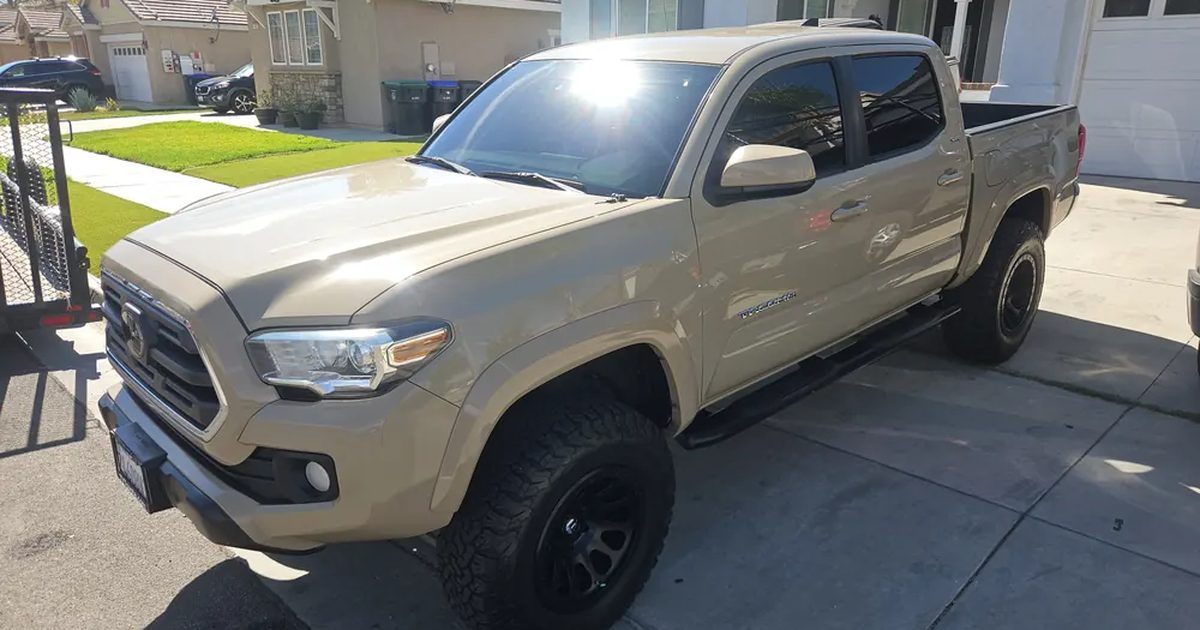
Photos at intake are the cheapest paperwork in this trade. A picture of the car as it arrived settles a conversation that a written note never wins, and it costs a technician about ninety seconds.
We require a checklist and at least one intake photo. Neither of those is unusual. The part that took us a while to get right was when to require them.
9 min read · 6 sections
Gate the finish, not the start
Our first version would not let a technician start a job until the intake was complete. In a bay that is defensible. For mobile work it is simply wrong.
A mobile technician arrives in a driveway with a customer standing there and starts. Paperwork happens around the work, not in front of it, and a system that blocks the first useful action of the visit gets worked around within a week. Once people start working around one gate they stop trusting all of them.
So the requirement moved to completion. You cannot mark a job finished without the intake done. You can absolutely begin one. The gate still catches everything it needs to catch, because nothing leaves the system unfinished, and it stopped fighting the technician at the only moment that matters to the customer watching.
The upload mistake that cost a set of photos
A technician lost a full set of intake photos and had to redo the whole intake on a job that was already done. The cause was not the camera, the signal, or the technician.
The intake screen was reading every picked file into memory as text, purely to draw a small preview thumbnail. That format holds roughly a third more data than the file itself, and it was being held twice, once in a list and once on the page. Four large photos came to somewhere around twenty megabytes of held text on a phone.
That is enough for a phone to quietly reclaim the browser tab, and when it does, it takes the pending files with it. Nothing crashes. The screen just comes back empty.
Previews point at a shrunk copy of the image now, and they are released as soon as they are no longer on screen. Every upload path shrinks before it sends, with a long edge cap and a quality setting, and it falls back to the original if the shrink fails for any reason.
A failed upload must never report success
This is the one to take even if you take nothing else from this piece.
Our uploader returned nothing at all when it failed. The calling code saw nothing, quietly dropped the photo, and carried on to show a success message saying photos uploaded. Every layer behaved reasonably and the combined result was a lie.
It is a specific trap with database libraries too. Most of them hand you back an error rather than throwing one, so code that does not explicitly check the result reads a failure as a success and keeps going. If you have written any upload or save path without checking what came back, that path is currently capable of losing work silently.
Now a failed photo fails the entire save. Nothing is written at all. A technician would far rather be told to try that again than discover a week later that the record is empty.
What the customer is allowed to see
Intake, work and completion photos reach the customer page. Receipts do not.
That line is drawn deliberately. Receipts carry wholesale prices and those are our business, not the customer's. It is the same reason internal notes never leave the building while customer facing notes do. The rule we follow is that fields are copied across by name, one at a time, never handed over as a whole record with the private parts removed afterwards. Removing things later is how something gets missed the first time somebody adds a new field.
The effect on conversations is the part nobody predicts. A customer who can see the car they handed over, and then see the work in progress, asks fewer questions and believes the answer to the ones they do ask.
The small details that bite
Two worth knowing before you build this.
Photos taken on a phone carry rotation information separately from the image itself. Redraw the image without asking for that to be honored and every portrait photo comes out on its side. It is a one line fix and an easy one to discover late, usually from a customer.
And if you let anyone override a documentation gate, store the override with the job rather than in the screen. Ours lived in the page for a while, which meant an owner clearing a block on a laptop left the technician in the driveway still blocked, with no way to tell that anything had happened.
Where to start if you have none of this
One photo. Before the work, of the whole car, on every job.
Do not start with a twelve point checklist and a required angle list, because that is a project and projects stall. One photo on every job for a month will tell you more about which conversations you are currently losing than any amount of planning.
Then add the ones that earn their place. For us that turned out to be the dashboard with the odometer and any warning lights, and whatever the customer is complaining about, photographed before it is touched.
Picked for You
Own a shop or a mobile operation?
Your free MechanicRank listing is one of the citations this article talks about. Claimed listings get an owner badge, a photo gallery, and a green star on the map.
Claim Your Free Listing →